
[Codevel Project] - How will the website flow?
Today, I’ll walk you through the request/response flow of the codevel.io website. This is a high-level overview — I won’t dive into any specific feature
I. Main components of the system
What you see here (this article, for example) is the frontend UI. To render this content, the browser issues an HTTP request to the backend. On the backend, we have an API server built with Spring Boot, which queries the database for article data, fetches the content, and returns it in the response.
Once the response arrives, the Next.js frontend (running on the server or in the browser) processes the returned data and renders the UI that you’re currently seeing.
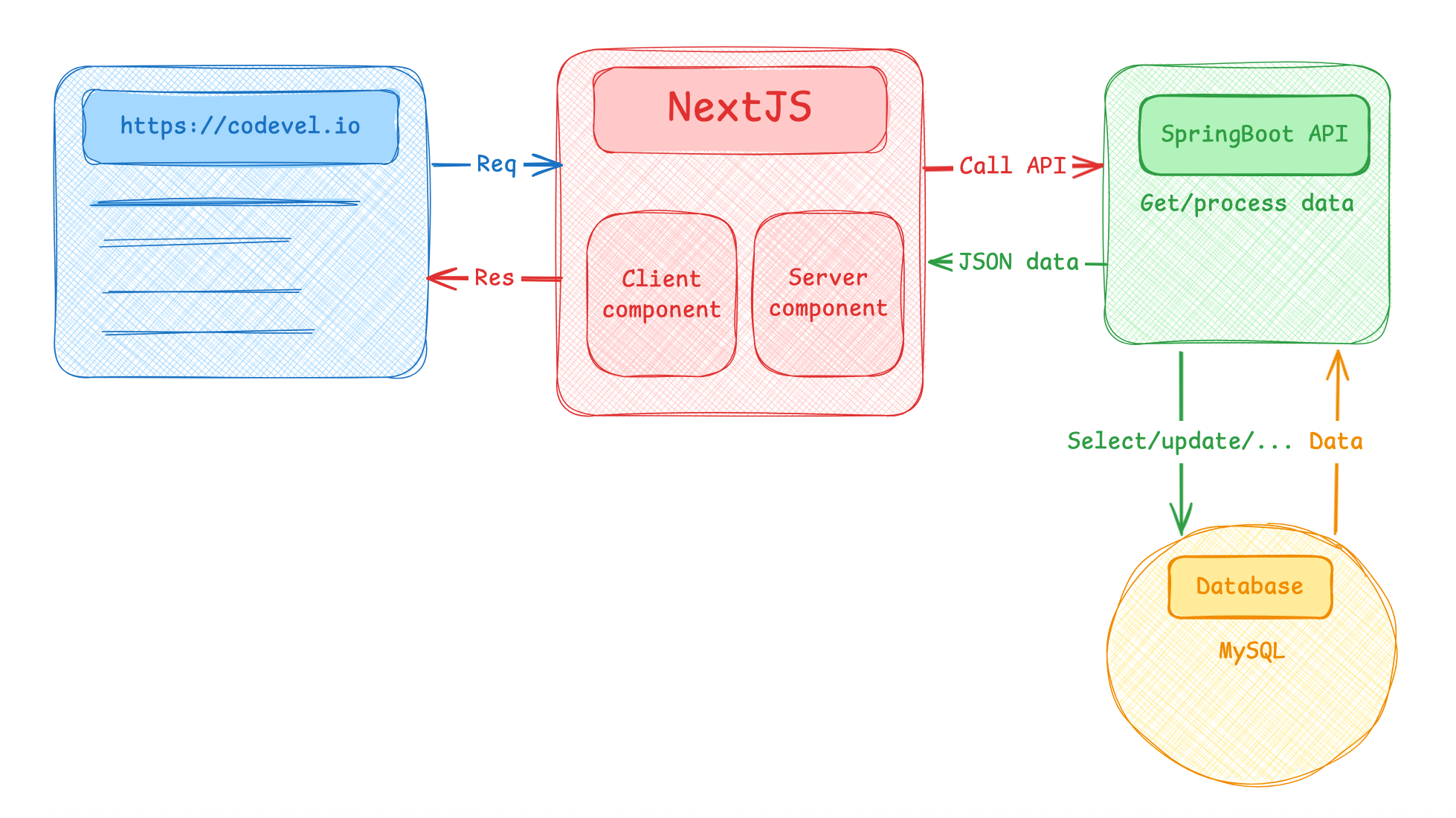
Looking at the diagram above, Next.js has two types of components: Client Components and Server Components.
II. Server Components (declared with "use server")
These run on the server — meaning the Node.js server where the Next.js app itself is running.
Why do they run on the server instead of directly in the client/browser making an API call and rendering the response?
The idea is simple: a Server Component fetches and renders the data at render time on the server, then sends the already-rendered result back to the browser. This offloads work from the client, so the browser has less to do. More importantly, this approach improves performance (faster rendering) and SEO (search engine crawlers see pre-rendered content instead of raw JavaScript).
III. Client Components (declared with "use client")
These run in the browser. I typically use them for interactive UI elements — for example, handling a button click, navbar interactions, or form inputs. Only Client Components can use React hooks like useState, useEffect, useRef, useSearchParams, etc.
IV. In short:
The codevel.io website flow is just the connection between Frontend, Backend, and Database — the same principle as any modern web app =))).