
[Codevel Project] – Next step, organize NextJS frontend project
I. Before we start
There are many ways to structure a Next.js project. Mine isn’t “the best”—it’s just what I’m used to, so I can code fast and spot problems quickly. You don’t have to copy it. Keep what makes sense for you and change the rest. Don’t follow someone else’s template blindly. Be yourself.
II. Routing (quick refresher)
Next.js routing is simple: create a folder that matches your route path, put a page.tsx (or .tsx/.ts) inside it, export a component (e.g. export default function Page() { ... }), and you’ve got a route.
Dynamic routes (slugs, IDs) use the usual patterns like [slug], [id], or [...slug]—I’ll cover those separately; for now, let’s talk structure.
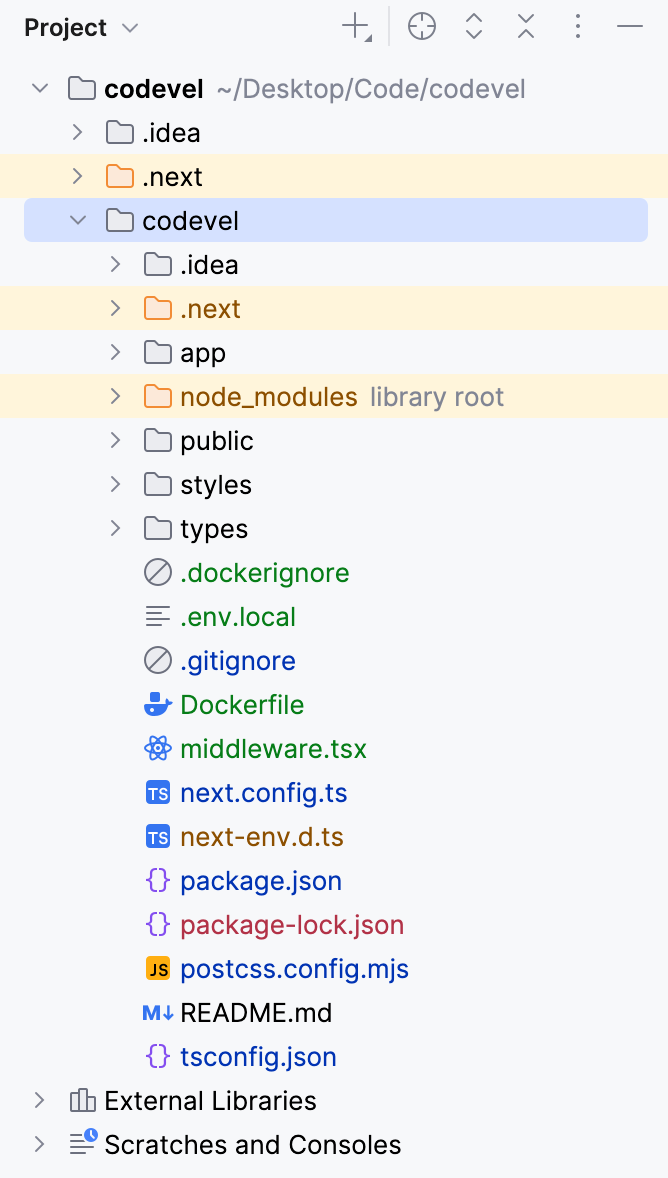
III. Project root (overview from the screenshot)
-
app/– Main UI code for the site. This is the heart of the App Router setup. I’ll dive into it below. -
node_modules/– All installed packages, based onpackage.json. -
public/– Shared static files likefavicon.ico, logos, etc. I mostly use this during development; in production I store assets in MinIO. -
styles/– Global and shared styles. -
types/– Type definitions for requests/responses and other shared types. -
middleware.tsx– A gatekeeper for incoming requests. I group URLs into buckets like Unauthenticated, Authenticated, Protected, and Administrator and handle access there. -
Other files (e.g.
next.config.ts,tsconfig.json,Dockerfile, etc.) are standard Next.js/Tooling defaults.
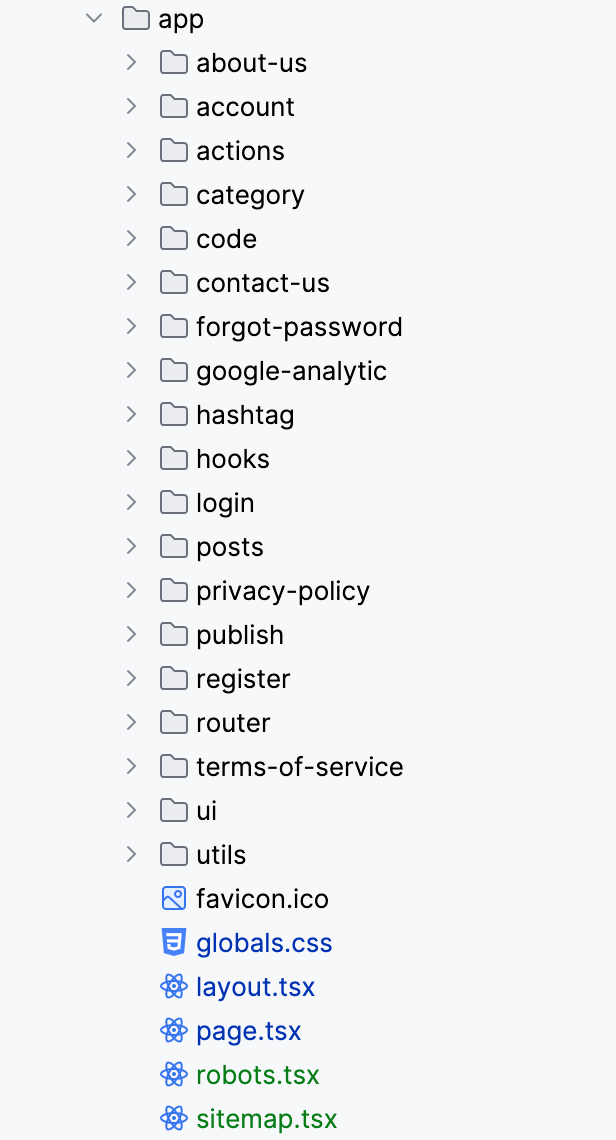
IV. Inside app/ (what each file/folder does)
-
globals.css– Global styles for the whole app. Shared rules live here; page-specific styles live with each page. -
layout.tsx– The base layout “frame” (header, footer, etc.). Every page renders inside this layout. -
page.tsx– The homepage. -
robots.tsx,sitemap.tsx– Generaterobots.txtandsitemap.xml. I use.tsxso the sitemap can be dynamic (includes the latest posts for indexing).
1. Page folders
Folders like about-us, account, category, code, contact-us, forgot-password, hashtag, login, posts, privacy-policy, publish, register, terms-of-service are all routes. Each has its own page.tsx that returns the content for that page.
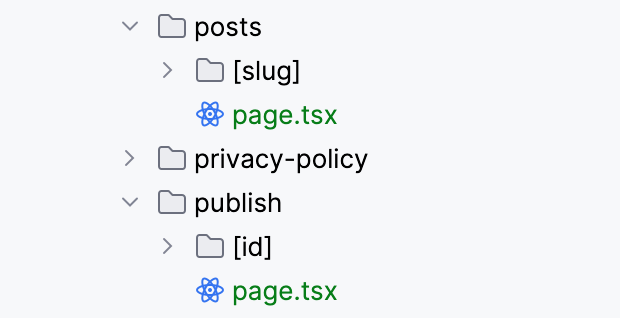
2. Nested routing highlights
-
posts/– Uses slugs (title → kebab-case URL). Slugs make links readable and easy to recognize. -
publish/– Similar nested structure for publishing flows.
V. Special folders (no page.tsx)
-
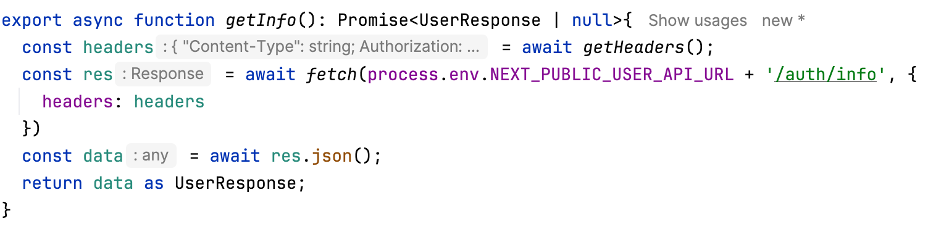
action/– Server-side handlers I call from forms and UI events (login, logout, register, search, etc.). Also where I define server-side API calls (GET/POST) used by the app
-
hooks/– Reusable React hooks. I previously used these to fetch the current user and toggle the header state (logged-in vs not). It worked but wasn’t optimal; I’ll revisit this when I talk about the header. -
router/– Route definitions and groups:protectedRoutes,authRoutes,adminRoutes, etc. I’ll go deeper when covering middleware.

-
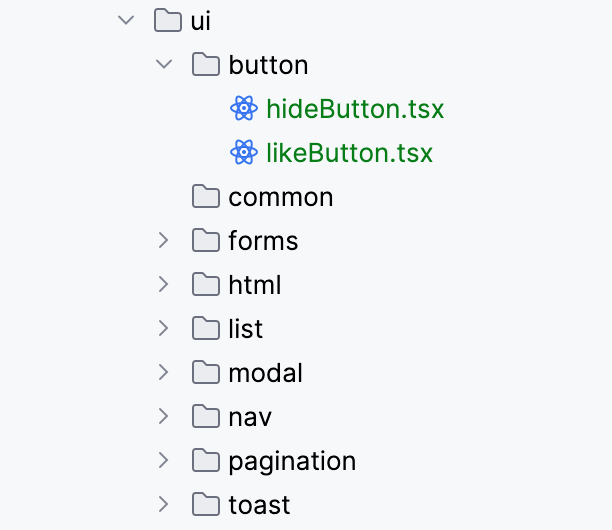
ui/– UI components: forms, modals, buttons, pagination, breadcrumb… mostly client components that handle user interactions.
-
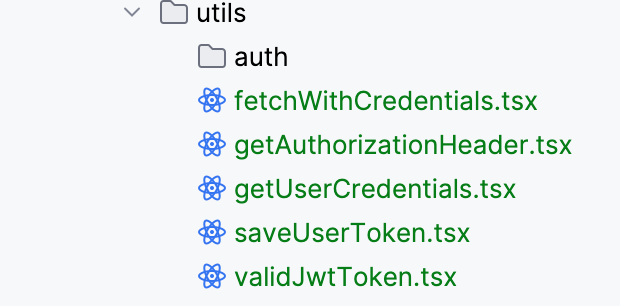
utils/– Helper functions that don’t call external APIs: token handling (save/delete/validate), building Authorization headers per request, and other shared utilities.
VI. Wrap-up
That’s how I organize my Next.js project for codevel.io. Over time I added pieces as they became necessary—this layout simply fits how I work. If some ideas help you, great—adapt them to your style. I don’t follow a strict standard; I follow what’s reasonable and maintainable. Thanks for reading—see you in the next post!