
PasswordFilter – A Solution to Minimize Guessable Passwords in Active Directory Systems
Guessable Passwords
Weak passwords are a critical concern for organizations that operate identity and access systems. This issue is especially important today as cybersecurity threats continually become more complex. Microsoft's Active Directory (AD) is the most common solution for user management, authentication, and access control among enterprises that use Windows. Attackers can exploit weak or easily guessed passwords within such systems.
Bruteforce Passwords
Attackers often start by harvesting user lists from your system, for example through an application that authenticates via LDAP or a webmail configured as public. Poorly secured apps may expose information that helps hackers determine which accounts exist. With those usernames, attackers combine typical password lists (such as company-related or commonly used passwords) to perform brute-force attacks and discover valid credentials.
Understanding LSA in Windows
LSA (Local Security Authority) is a core Windows component responsible for handling security issues such as:-
Authentication
-
Logon
-
Privilege checking
-
Security policy enforcement
-
Access token management
-
Secrets management (LSA secrets)
-
Communication with AD/SAM/Kerberos
LSA plays a key role in password policy enforcement, most evident when a user changes their password. Common password policy categories include:
-
Enforce password history (number): Prevents reuse of recent passwords.
-
Maximum password age (number): Specifies password expiration, forcing regular changes.
-
Password must meet complexity requirements (Enable/Disable): Ensures passwords include uppercase, lowercase, numbers, special characters, and differ from the username.
-
Minimum password age: Sets the period before the password can be changed again.
Setting proper values for these parameters according to Microsoft or other security recommendations can ensure password complexity. However, users often choose memorable and easy-to-enter passwords, which poses security risks. Attackers may guess these passwords and gain access to the organization’s system, potentially causing harm.
Password Filter and Risk Reduction
Therefore, it's essential to implement a password filter—a mechanism that screens out passwords considered guessable or overused for your organization (e.g., Admin@..., password..., ...@123, Abc@...). This filter greatly reduces (but does not entirely prevent) the risk of brute-force attacks, since users ultimately choose their own passwords and may reuse or select weak credentials that have previously been leaked.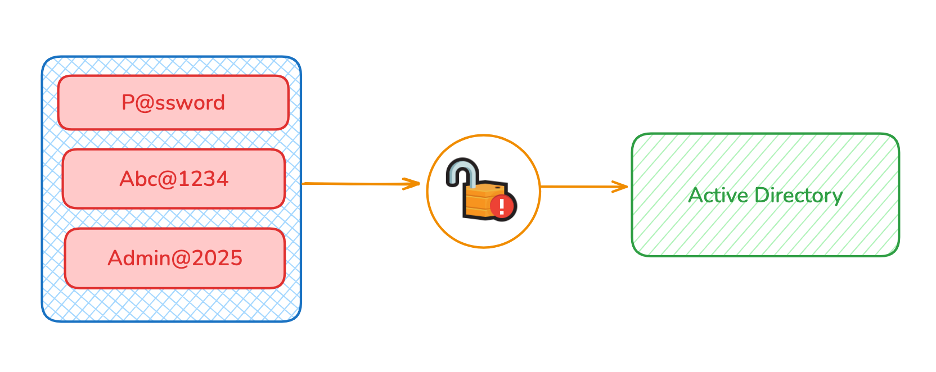
Windows does support password filters, but not by default. LSA itself does not include a built-in Password Filter; instead, this feature is an extension for organizations to create custom password policies as needed. While some enterprises use the default policy, others need stricter controls. In summary, LSA provides the framework—if your organization needs more specific password screening, you must implement a custom Password Filter.